


Remote work has made teams more distributed and more visible online. Your company website, Slack directory, and LinkedIn pages are now the primary way customers and partners meet your team. In 2026, a consistent, professional headshot for every team member is not a luxury. It is a trust signal.
Traditional photoshoots are expensive, time-consuming, and logistically painful. AI headshots make it possible to create a consistent, professional look across your entire team without scheduling a single studio session. This guide explains how to do it well and how to make the results look cohesive and credible.
Why Team Headshots Matter in a Remote World
Customers and partners want to know who they are working with. Team photos create trust, especially for service businesses, SaaS companies, and startups. When every team member has a consistent, professional headshot, your brand feels organized and reliable.
Inconsistent or outdated headshots, on the other hand, signal disorganization. That can affect sales, partnerships, and recruiting. AI headshots solve this by creating a unified visual identity quickly.
The Cost and Logistics Problem of Traditional Photoshoots
Traditional team photoshoots require:
- Scheduling time for every team member.
- Coordinating a photographer or studio.
- Consistent lighting and background setup.
- High costs that scale with team size.
For remote teams across time zones, this becomes nearly impossible. AI headshots eliminate the logistics while keeping professional quality.
How AI Headshots Work for Teams
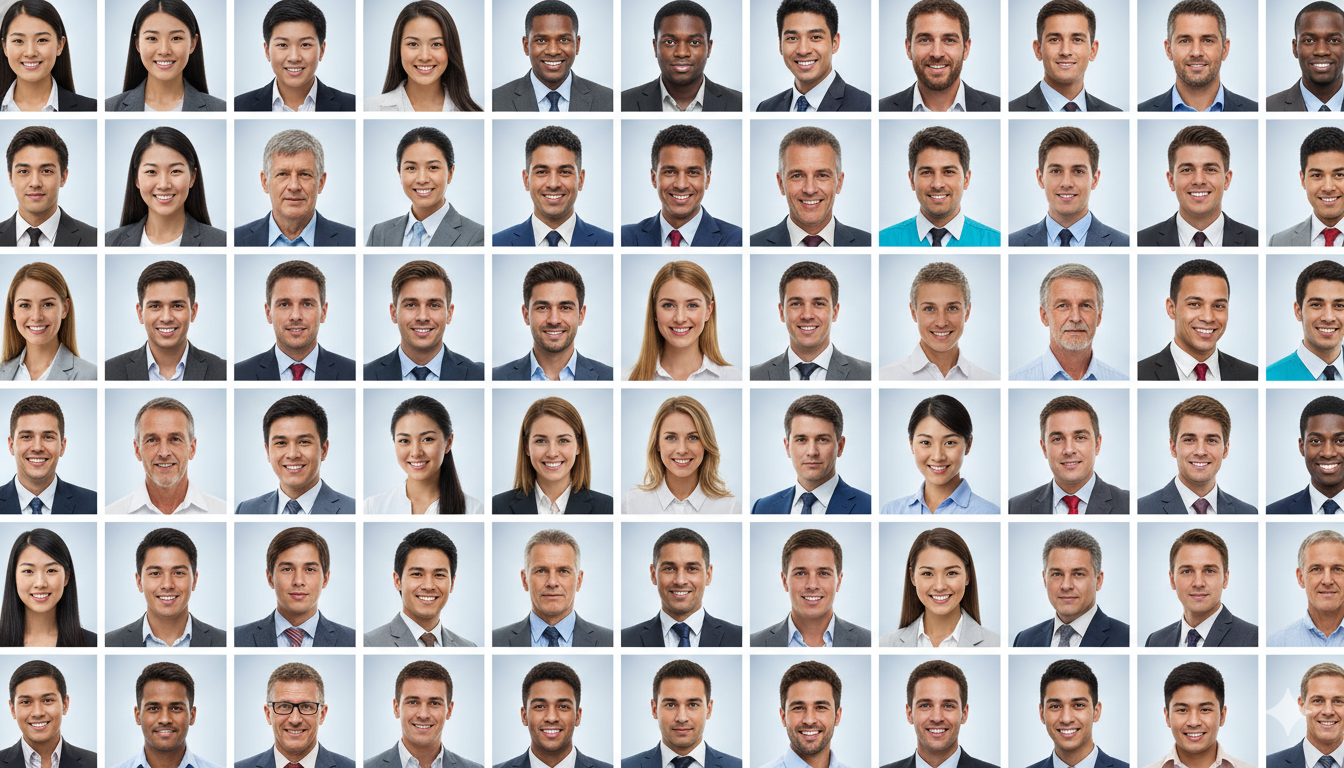
Each team member submits a few selfies, and the AI generates a set of professional headshots in consistent styles. The company can define a style guide, and the AI can apply it across all team members.
This creates:
- Consistent backgrounds.
- Unified lighting and tone.
- Professional wardrobe styling.
- A modern, polished look across the team.

Build a Team Headshot Style Guide
Consistency is everything. Before you generate images, define a style guide:
- Background color and tone.
- Formality level (corporate vs business casual).
- Framing and crop rules.
- Color palette aligned with your brand.
When everyone follows the same guide, the team page looks cohesive. AI headshots make it easy to enforce the guide without costly reshoots.
Use Cases for Team AI Headshots
Team headshots are not just for the "About" page. They appear everywhere:
- Company website team page.
- LinkedIn company page and employee profiles.
- Sales decks and investor presentations.
- Internal directories and collaboration tools.
A consistent visual identity across all these surfaces improves trust and brand recognition.
Onboarding New Hires Without the Hassle
Remote teams grow quickly. AI headshots make it easy to add new team members without organizing a new photoshoot. New hires can submit selfies during onboarding, and their headshots can be ready within hours.
This keeps the company website and internal tools up to date without delays.
Privacy and Consent Considerations
Using AI headshots for teams requires clear consent. Make sure every team member understands:
- How their selfies will be used.
- Where their headshots will appear.
- The style choices that will be applied.
Transparency builds trust internally and ensures everyone feels comfortable with the process.
The ROI of AI Headshots for Teams
CareerLyft AI headshots start at $3.99 for 20 images, making it affordable even at scale. Compare that to the cost of a traditional photoshoot for a team of 20 and the difference is massive.
The ROI shows up in:
- Faster onboarding and brand updates.
- Improved trust from customers and partners.
- A polished, modern company image.
For a growing team, this is one of the smartest investments you can make.
Best Practices for Team AI Headshots
To get the best results:
- Provide clear selfie guidelines to all team members.
- Use consistent lighting and neutral backgrounds for input photos.
- Decide on a standard crop and orientation.
- Choose a style that fits the company brand.
These small steps make a big difference in final quality.
When to Refresh Team Headshots
As a general rule, update headshots every two to three years, or whenever the team goes through a major brand refresh. AI makes updates simple, so there is no need to wait for a full photoshoot cycle.
Common Team Headshot Mistakes
Avoid these:
- Mixing different styles across team members.
- Using casual selfies for some team members and professional photos for others.
- Ignoring brand colors and tone.
- Waiting too long to update when the team grows.
Consistency and speed are the two biggest wins with AI headshots.
Frequently Asked Questions
Are AI headshots professional enough for company websites?
Yes, when generated from high-quality input photos and a consistent style guide. Modern AI headshots can look just as professional as studio photos for most business use cases.
How many headshots should each team member have?
At least 5 to 10. This allows for different platforms and future updates. CareerLyft provides 20 images per set, which is usually more than enough.
Can we use AI headshots for executives?
Yes. Executives often benefit from a more formal style. AI headshots can deliver this while keeping the team look consistent.
How do we ensure consistency across the team?
Use a single style guide and have everyone use similar input photos. AI headshots will then produce a unified look.
Where can teams get CareerLyft AI headshots?
Teams can generate headshots at the CareerLyft AI headshots page. Pricing starts at $3.99 for 20 AI headshots per person, making it affordable for organizations of any size.
Final Takeaway: Scale Your Team Brand Without the Photoshoot
In 2026, the fastest-growing companies are remote, distributed, and visible online. A consistent headshot library is a simple but powerful way to build trust with customers and create a unified brand. AI headshots make that possible without the logistics and cost of traditional photography.
If your team needs professional headshots fast, AI is the smart solution.