

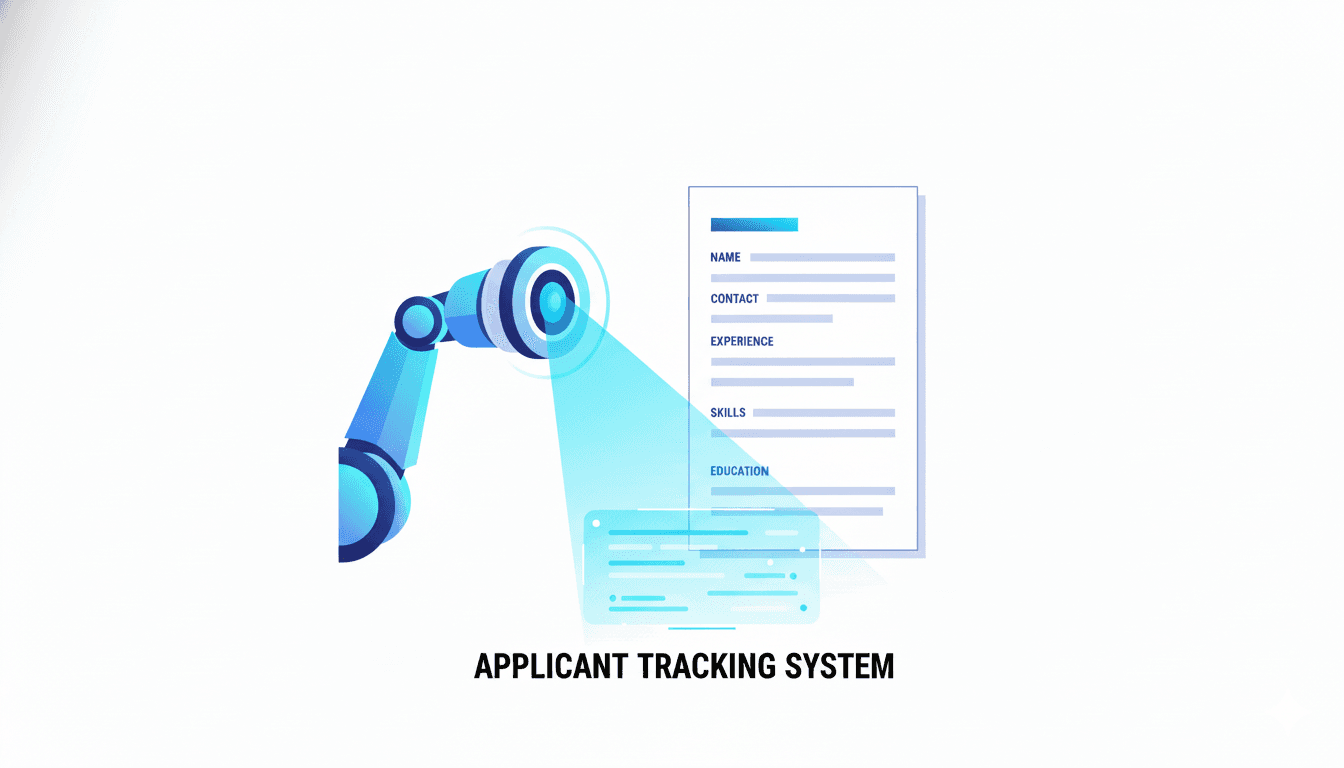
In the modern job hunt, your biggest competitor isn't another person—it's an algorithm. Before your carefully crafted resume can impress a hiring manager, it must pass the trial of a silent, unforgiving gatekeeper: the Applicant Tracking System (ATS). With a staggering 99% of Fortune 500 companies and the vast majority of all other businesses using an ATS, it has become the primary filter for job applications.
The statistics are sobering: some reports indicate that as many as 75% of resumes are rejected by an ATS before they ever reach human eyes. If you've ever felt like your applications are disappearing into a black hole, you're not just being pessimistic; you're likely a victim of the ATS filter.
But this is not a reason to despair. It's a reason to get smarter. This guide will provide a comprehensive, deep dive into the world of Applicant Tracking Systems. We’ll explore what they are, how they think, and most importantly, a step-by-step playbook on how to build a resume that beats the bots and lands you the interview.
The Rise of the Robots: A Brief History of ATS
Applicant Tracking Systems weren't born overnight. Their origins trace back to the 1990s as simple digital rolodexes for companies to store and manage paper resumes. However, with the explosion of the internet and online job boards like Monster and CareerBuilder, recruiters were suddenly inundated with hundreds, sometimes thousands, of applications for a single opening. The floodgates were open, and they needed a dam.
This is when the ATS evolved from a simple database into a sophisticated screening tool. Early versions were clunky and keyword-dependent. Today's systems, from platforms like Taleo, Greenhouse, and Lever, use advanced parsing technology and AI to not just find keywords, but to understand context, categorize skills, and rank candidates based on a complex set of criteria set by the recruiter. They are an indispensable tool for modern HR departments, but a formidable obstacle for the unprepared job seeker.
How an ATS Really Reads Your Resume
To beat the system, you must first understand its process. An ATS doesn't "see" your resume in its neat, visual layout. Instead, it performs a multi-step parsing and analysis process:
- Extraction: The system first extracts the raw text from your resume file (.docx, .pdf, etc.). This is the most critical stage where formatting errors can cause major problems. Complex layouts with tables, columns, and graphics can be converted into an unreadable jumble of text.
- Categorization: The parsed text is then sorted into predefined categories: Contact Information, Work Experience, Education, Skills, etc. The ATS looks for standard section headers to do this correctly. A creative title like "Where I've Been" instead of "Work Experience" can confuse the system, causing your entire career history to be misplaced or ignored.
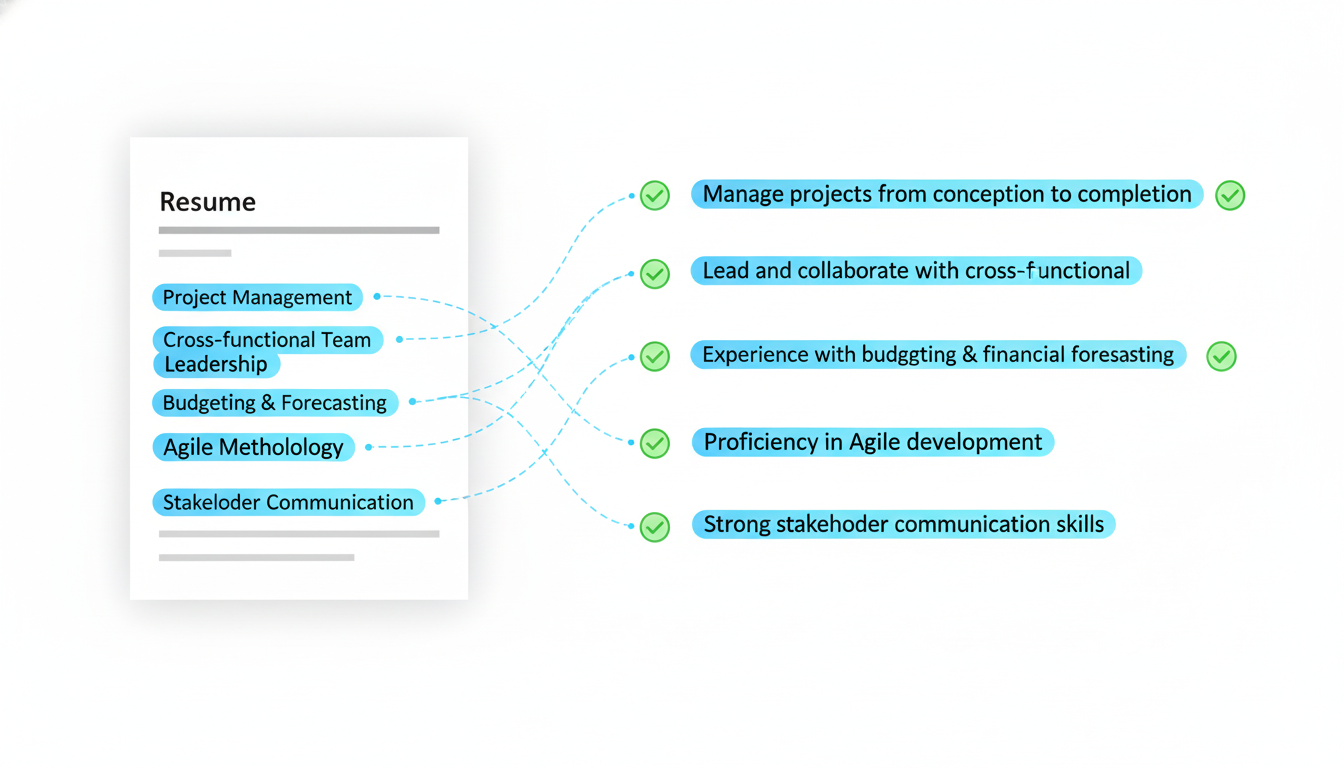
- Comparison and Scoring: The categorized information is then compared against the job description. The system cross-references your skills, job titles, and experience with the requirements listed in the posting. It assigns a score based on the number and quality of these matches.
- Ranking: Finally, all applicants are ranked based on their match score. Recruiters typically only review the top percentile of candidates. If your score is too low, you are effectively invisible.
This entire process happens in seconds. Your resume either speaks the language of the ATS, or it doesn't stand a chance.
The Ultimate ATS-Proof Resume Checklist
Optimizing your resume is a game of details. Follow this comprehensive checklist to ensure your resume is built for both robots and humans.
Section 1: Formatting and File Type
- [ ] File Type: Save your resume as a .docx or a text-based PDF. Avoid image-based PDFs (e.g., from a scanner) at all costs. To check, try clicking and dragging to highlight the text in your PDF. If you can't, it's an image.
- [ ] Layout: Use a clean, single-column, top-to-bottom format. While a two-column resume can be visually appealing to humans, many older ATS versions read from left to right, line by line, jumbling your content. It's safer to stick to one column.
- [ ] Fonts: Use a standard, universal font like Arial, Calibri, Helvetica, or Times New Roman. Avoid niche or script fonts that the system may not recognize. Font size should be between 10 and 12 points.
- [ ] No Tables or Text Boxes: These can be poison to an ATS parser. Structure your content using standard line breaks and indents.
- [ ] Standard Bullet Points: Use simple, solid circles or squares for your bullet points. Complex symbols can be misinterpreted.
Section 2: Content and Keywords
- [ ] Standard Section Headers: Use universally understood headers: "Work Experience" or "Professional Experience," "Education," "Skills," "Summary."
- [ ] Keyword Optimization: Scour the job description. Identify core skills, qualifications, and software mentioned. Weave these keywords naturally into your Professional Summary and Work Experience sections. For example, if the job requires "digital marketing analytics," ensure that exact phrase appears in your resume.
- [ ] Use Acronyms and Full Terms: The system may search for "MBA" or "Master of Business Administration." Include both to be safe, e.g., "Master of Business Administration (MBA)."
- [ ] Quantify Achievements: Instead of "Managed social media accounts," write "Grew social media engagement by 45% over six months by implementing a new content strategy." This is powerful for both ATS (which can sometimes pick up on numbers) and the human reader.
- [ ] No Information in Headers/Footers: While modern ATS can often read them, it's a risk. Place critical contact information like your name, phone number, and email at the top of the main document body.
This process is meticulous and time-consuming. This is precisely why the CareerLyft.ai Resume Builder was created. It automates this entire checklist, using tested, ATS-compliant templates and intelligently suggesting keywords based on your target job. It allows you to focus on the quality of your experience, not the minutiae of formatting.
ATS Myths Debunked
The internet is full of misinformation about Applicant Tracking Systems. Let's clear up a few common myths.
-
Myth 1: You have to lie or "keyword stuff" to get through.
- Fact: False. Modern ATS can detect keyword stuffing (unnaturally repeating keywords). It's about relevance, not volume. More importantly, even if you trick the bot, the human recruiter who reads your resume next will immediately spot the deception. Honesty and relevance are key.
-
Myth 2: All creative resumes are automatically rejected.
- Fact: Not necessarily, but it's a high-risk, low-reward strategy. While a visually stunning resume might be great for a graphic design role presented in person, it's likely to fail the initial ATS screening. The solution? Have two resumes: an ATS-friendly version for online applications and a creative version for networking and in-person meetings.
-
Myth 3: You can hide keywords in white text.
- Fact: This is an old trick that no longer works. ATS parsers extract raw text, so white text is just as visible as black text. Recruiters can also easily see it by simply highlighting the document. This is a red flag that can get you blacklisted.
Frequently Asked Questions (FAQ)
1. Is a two-page resume okay for an ATS? Absolutely. The myth that a resume must be one page is outdated. An ATS does not care about page length. What matters is the relevance of the content. If you have 10+ years of relevant experience, a two-page resume is perfectly acceptable and often necessary.
2. What's the best file format to use? A .docx file is often the safest bet, as it's the most easily parsed format. However, most modern ATS platforms handle text-based PDFs perfectly well. The key is to ensure it's not a scanned image. When in doubt, stick to .docx.
3. How do I find the right keywords for a job? Go through the job description with a highlighter. Note every skill, software, and qualification listed under "Requirements" or "Responsibilities." Look for patterns. If "Project Management" is mentioned five times, it's a critical keyword. You can also paste the job description into a word cloud generator to visually see which terms are most prominent.
4. Can I use a single, generic resume for all applications? This is one of the biggest mistakes job seekers make. The ATS is specifically configured to match candidates to that one specific job. A generic resume will fail to match the specific keywords for each role, leading to a low score and rejection. Every application deserves a tailored resume.
The Ultimate Shortcut: Instant, Intelligent Optimization
Feeling overwhelmed? You should be. Manually optimizing a resume for every single application is a daunting task. It's a full-time job in itself.
This is the problem CareerLyft.ai was built to solve. We've taken this entire complex rulebook and coded it into an intelligent, one-click platform.
Our Resume Builder doesn't just give you a template; it gives you an optimized, interview-winning document, instantly.
- It automates the formatting, ensuring every section is perfectly structured for ATS parsers.
- It intelligently analyzes job descriptions, helping you pinpoint and integrate the most crucial keywords for any role.
- It helps you craft compelling, achievement-oriented bullet points that appeal to the human reader who will see your resume after it passes the bot screening.
Stop letting a robot decide your career fate based on a formatting error. It's time to take control of your job search, beat the bots, and ensure your resume lands on the desk of a decision-maker every single time.
Ready to build a resume that gets results? Visit https://careerlyft.ai to get started today!