


Recruiters decide fast. Before they read your resume, they see your name and your photo. That moment shapes whether they click, reply, or move on. In 2026, a professional headshot is no longer optional. It is a baseline signal of seriousness and readiness.
AI headshots make that signal affordable, fast, and scalable. This guide shows how to use AI headshots to improve recruiter response rates and build a stronger professional brand.

The Recruiter Inbox Reality
Recruiters scan dozens of profiles every day. They open LinkedIn, skim your headline, and glance at your photo. Your headshot is a filter. It says:
- You take your career seriously
- You understand professional norms
- You are ready to represent the company
A low quality photo sends the opposite message. In a crowded inbox, those signals matter.
Why AI Headshots Are the New Standard
Traditional headshots are expensive and slow. AI headshots remove the cost and scheduling friction. You can generate dozens of professional options in hours, not weeks.
Benefits for job seekers:
- Consistent lighting and sharpness
- Multiple styles for different roles
- Fast updates when your look changes
- Cost that fits any budget
This is why AI headshots are becoming the default choice for modern job search branding.
The Psychology of a Strong Headshot
Humans trust faces. A clean, well lit image increases credibility and reduces uncertainty. A strong headshot communicates:
- Confidence
- Approachability
- Competence
- Professional alignment
AI headshots can deliver all four when you choose the right style.
How AI Headshots Improve Response Rates
Recruiters are more likely to engage when a profile feels complete and polished. A professional headshot improves response rates by:
- Increasing profile clicks
- Building trust faster
- Signaling industry fit
- Reducing perception risk
If your role involves client interaction or leadership, the impact is even stronger.
Choose a Style That Matches Your Target Role
Different industries expect different visuals. Pick a style that aligns with your target role.
Corporate roles:
- Neutral background
- Formal attire
- Subtle smile
- Clean lighting
Creative roles:
- Warmer tone
- Smart casual wardrobe
- Friendly expression
- Modern background
Startup roles:
- Polished but relaxed style
- Natural lighting look
- Approachable expression
- Minimal background
Alignment beats novelty. Your headshot should feel natural for your industry.
LinkedIn Optimization With AI Headshots
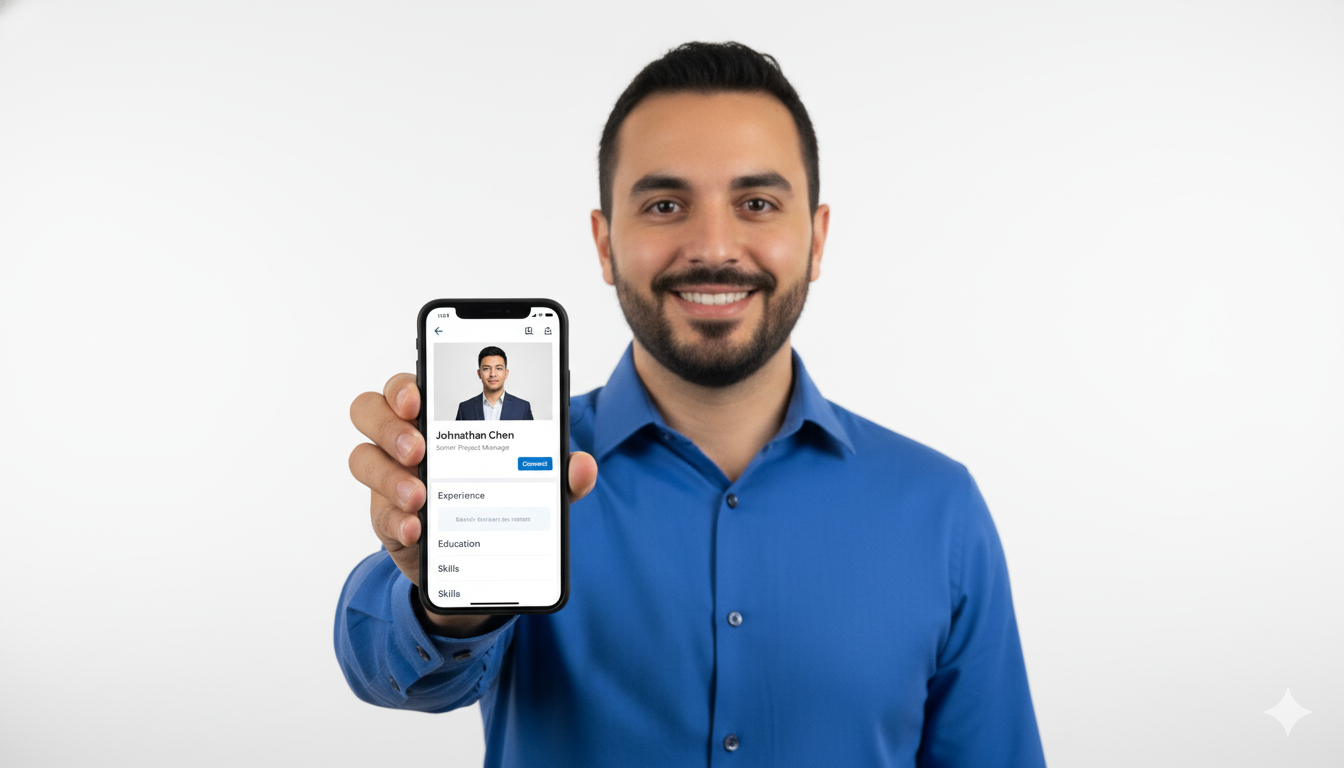
LinkedIn is the main recruiter search platform. Your headshot should be optimized for the circular crop and mobile view.
LinkedIn headshot rules:
- Face fills about 60 percent of the frame
- Eyes are sharp and centered
- Background is simple and not distracting
- Resolution is high enough for retina screens
AI headshots are usually centered correctly, but always verify the crop after upload.
How to Generate Better Results
Your source photos determine your output quality. Use these simple rules:
- Use photos with even lighting
- Avoid sunglasses and heavy filters
- Include multiple angles
- Use recent photos that reflect your current look
AI improves what you provide. Clean inputs produce strong outputs.
Avoiding the Uncanny Valley
The goal is realism. If your headshot looks overly edited, it can feel artificial and reduce trust. Choose styles that look natural and professional. Avoid extreme retouching or glossy skin.
If you are unsure, compare the AI headshot with a real photo of yourself. The best result looks like you on a great day.
Where to Use Your AI Headshots
A strong headshot should appear across your professional footprint:
- LinkedIn profile
- Resume header if your industry expects it
- Portfolio site
- Speaker bio
- Email signature
Consistency builds recognition and trust.
A Simple Selection Checklist
Use this checklist to choose the best image:
- Does it look like you today
- Is the lighting clean and even
- Is the background neutral and uncluttered
- Does the expression match your target role
- Does it look professional at small sizes
Common Mistakes That Reduce Recruiter Trust
Avoid these mistakes:
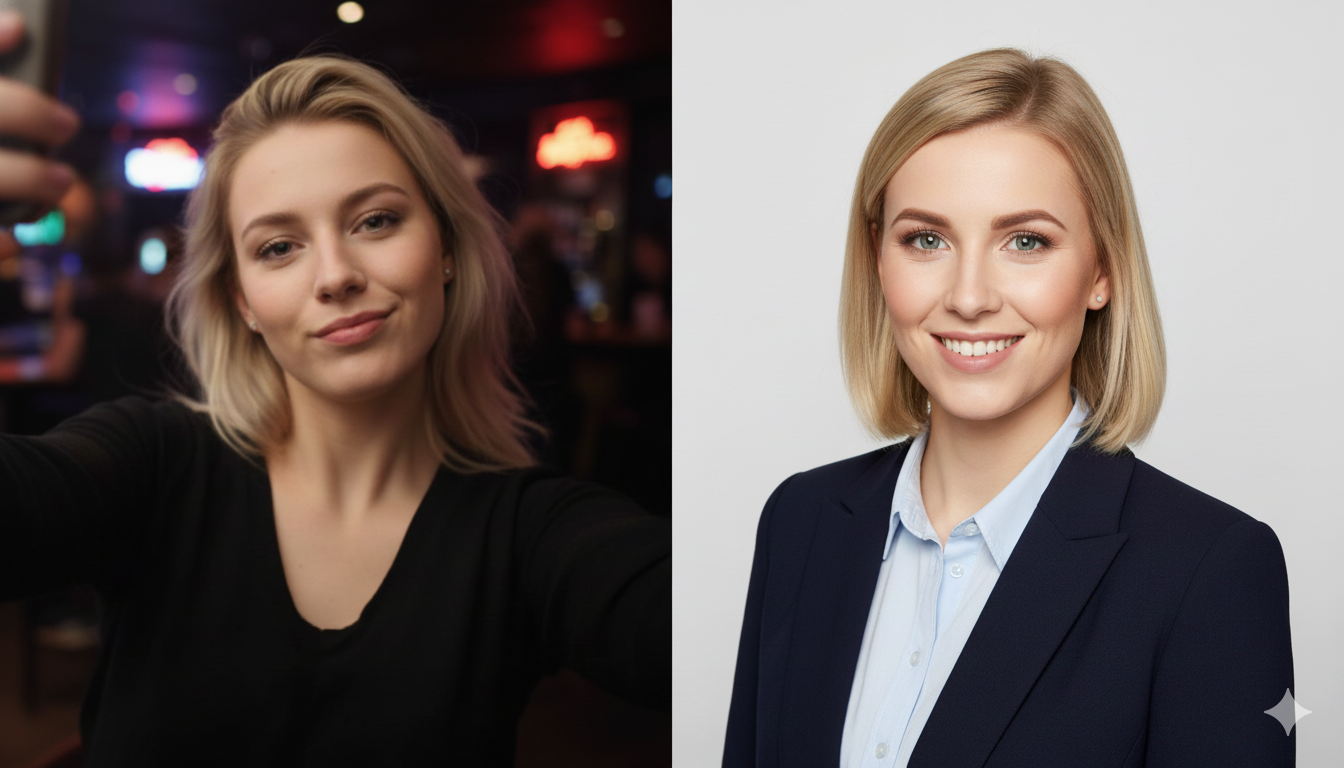
- Cropped selfies with other people
- Photos with busy backgrounds
- Low resolution or blurry images
- Outdated photos that no longer look like you
- Overly casual clothing
AI headshots solve all of these if you select a professional style.
Build a Consistent Personal Brand
Your headshot is part of a larger personal brand. Pair it with a clear headline, a keyword rich summary, and focused experience bullets. This full package creates the recruiter inbox advantage.
For deeper guidance, review:
- The Ultimate Guide to AI Headshots for LinkedIn in 2026
- Maximize Your LinkedIn Impact with an AI Headshot
- Why Your LinkedIn Profile Needs an AI Headshot
Final Thoughts: First Impressions Decide Outcomes
The recruiter inbox is crowded. A professional AI headshot cuts through the noise by signaling credibility and confidence. It is fast, affordable, and effective.
Use a clean, realistic style. Align it with your industry. Then deploy it across LinkedIn and your portfolio. The result is more replies, more interviews, and a stronger professional presence in 2026.